




iDeals has one of the strongest reputations in the virtual data room market, built on three promises: secure, easy to use and quick to deploy. Our reviewer James Dean went through what customers say about each of them for the video below. The short version: the reputation mostly holds, and the complaints are small.
“You need security, you need intuitiveness, and you need a lot of features, but you also need simplicity as well.”
iDeals review: as good as its name?
 James DeanVDR analyst, VirtualData-Room.com
Our reviewer James Dean looks at iDeals through its users' eyes: a quick setup, broad security, an easy interface and new AI tools, plus the few things reviewers would change.
Setup: quick, even for first-timers
iDeals puts a lot of weight on setup, in its marketing and in what customers write. It promises a data room that is running quickly, and reviewers broadly agree: they describe a straightforward process, clear folder structures, simple permission management and an onboarding flow that is easy to follow.
Configuring a project and uploading documents takes little time, and plenty of users say they managed without much data room experience. That makes iDeals a sensible pick if your team is new to running deals this way.
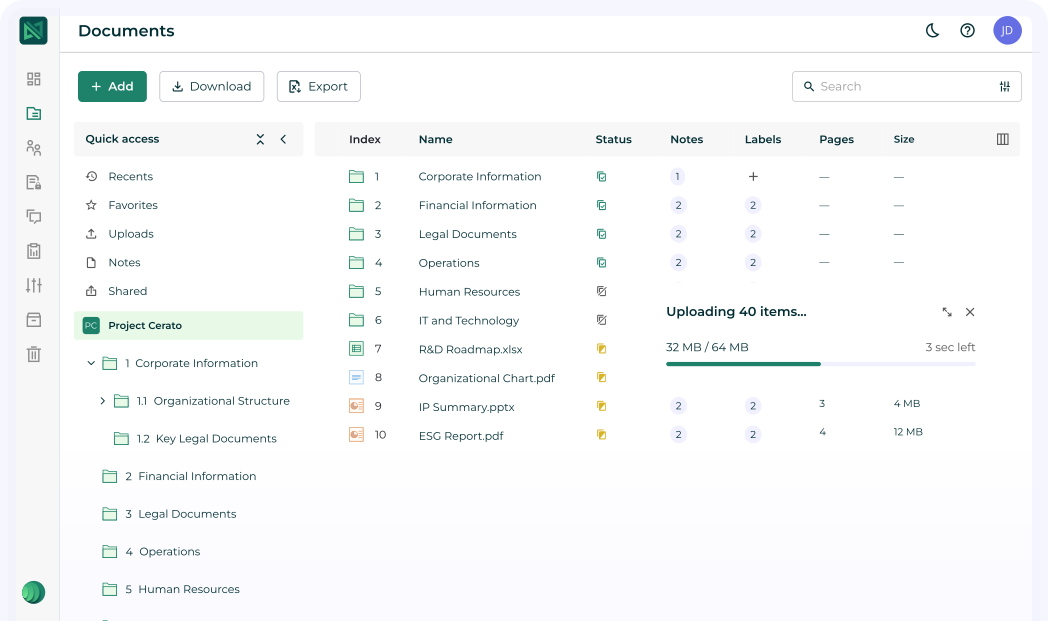
“You can configure projects and upload documents in a very short time.”
Where setup asks more of you
The criticisms are minor. Move on to the more advanced functionality and there is a learning curve, and some reviewers would like more onboarding material and tutorials for first-time users.
“A few reviewers said they’d like additional onboarding material and tutorials for first-time users.”
Security, including fence view
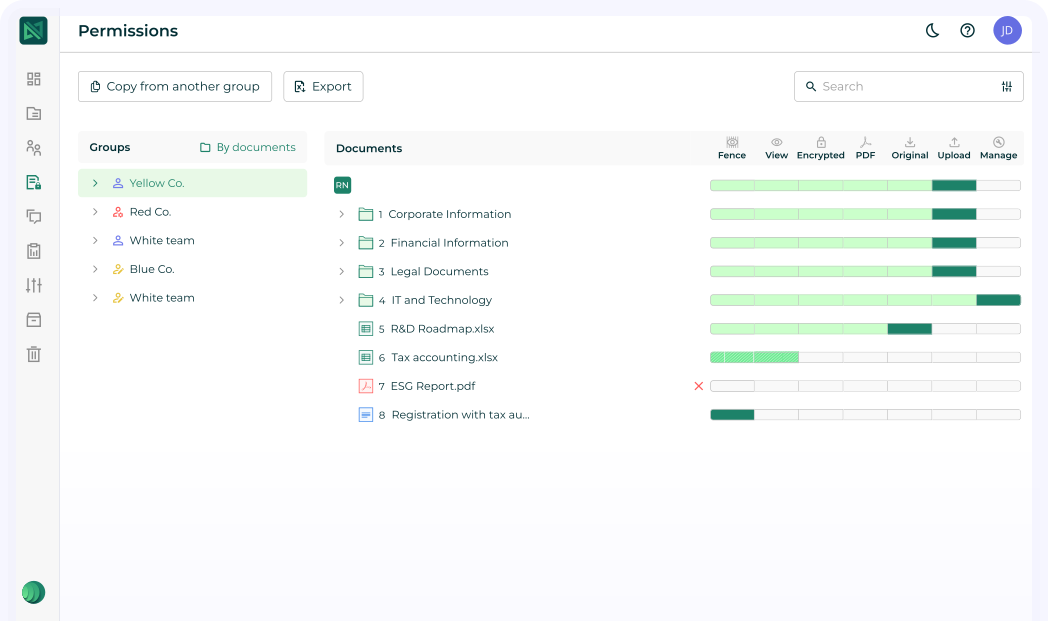
Security is another area where iDeals performs well. The toolkit covers document-level permissions, dynamic watermarking, audit logs, IP restrictions, document expiry and remote shred.
The feature our reviewer singled out is fence view, an odd name for a useful control: it stops people viewing a whole document at once and blocks screen capture, which helps keep confidential material confidential. iDeals also complies with the major standards, including GDPR and SOC 2, and holds several ISO certifications.
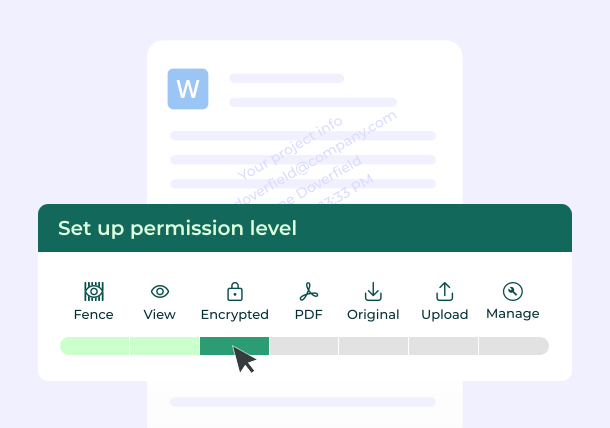
“This fence view feature, which is an odd name, but a great feature.”
The balance between security and usability
iDeals seems to strike a good balance between security and usability. The only real complaints are about giving administrators more flexibility over default permission settings, and about automating certain access rules.
“There seems to be a good balance between security and usability, which is a fine line to tread.”
Ease of use: where iDeals stands out
This is where iDeals stands out from many competitors. People call it intuitive, easy, clean and straightforward. Permission management is simple, and organising documents and managing users is easy.
The wishes are small: a more modern dashboard, more workflow customisation, smoother movement between documents inside folders, and a mobile app as polished as the desktop.
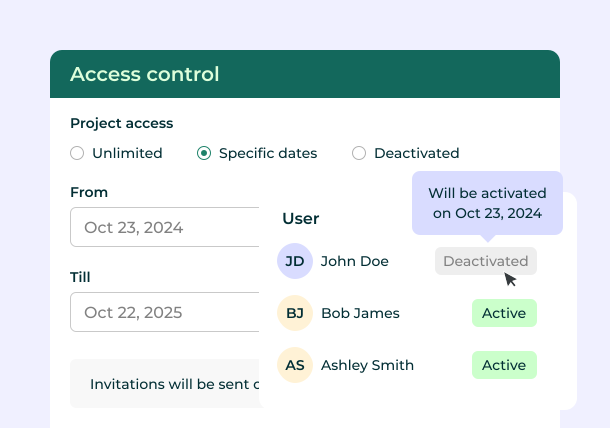
“People call it intuitive, easy, clean, and straightforward.”
Built for due diligence
Beyond the basics, iDeals has features designed for due diligence. Engagement analytics are strong: you see who accessed which documents, how long they spent reviewing them and which files attract the most attention.
The Q&A module keeps buyer and seller communication inside the platform and is generally easy to manage, though a few people would like more editing options. Audit trails are detailed and easy to generate, so you keep a clear record of document access throughout the transaction in case you need that evidence later.
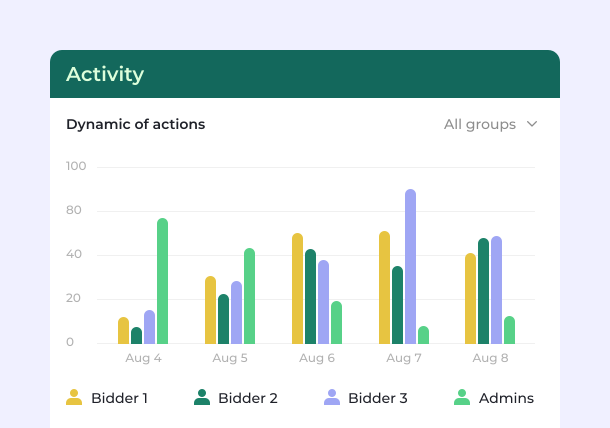
“Obviously, that’s very good when you’re assessing your buyer interest and you’re preparing for meetings as well.”
New AI features
iDeals has recently upped its AI offering, with AI document summaries, AI redaction, AI translation and AI chat.
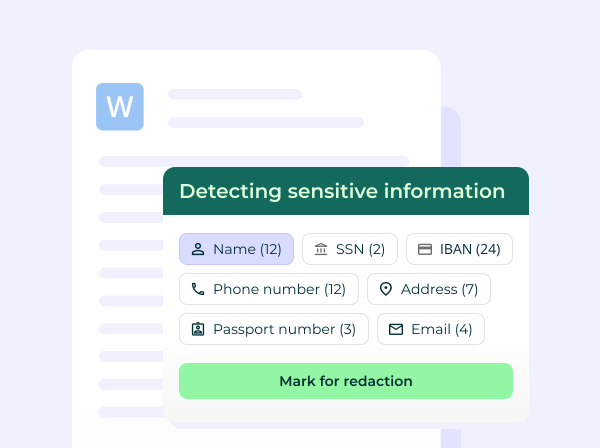
“It’s got AI document summaries, AI redaction, AI translation, and AI chat capabilities.”
The verdict
It is easy to see why iDeals gets good reviews: ease of use, ease of setup, security and customer support all come out positive. Smaller organisations say pricing can be higher than some competitors, and a few enterprise users want deeper workflow customisation and more specialist features.
Overall it is a positive review, and iDeals is easier to get into than some platforms with more functionality.
“Overall, it’s a positive review of iDeals, and maybe not quite as difficult to get into as some of those with slightly more functionality.”
Full transcript of the video
Everything James Dean says in the video. Search for a word, or click a time to play from there.
The name iDeals is a very clever pun for a virtual data room, but does a good name mean a good VDR?
Well, the reputation for iDeals is very, very strong.
It's built this around being secure, easy to use, and quick to deploy.
There's a lot of competitors that have got heavy enterprise complexity, whereas iDeals is one of those that says, well, okay, you need security, you need intuitiveness, and you need a lot of features, but you also need simplicity as well.
Customer reviews are quite positive, but does it live up to that hype?
Well, let's take a look.
Setup, and one of the first things you'll notice from both the marketing and the reviews that you read is how much emphasis iDeals places on setup.
It promises you can get the data room running quickly, and a lot of people agree with that as well.
They talk about the setup process being straightforward, clear folder structures, simple permission management, and an onboarding process that's very easy to follow.
You can configure projects and upload documents in a very short time.
A lot of people said that they used it without having too much VDR experience before, which is obviously a positive if you are new to making deals in this manner.
There are a few minor criticisms though, including when you move on to maybe the more advanced functionality, there's a bit of a learning curve there.
Also, a few reviewers said they'd like additional onboarding material and tutorials for first time users.
Looking at security, this is another area where iDeals performs well.
It's got document level permissions, dynamic watermarking, audit logs, IP restrictions, document expiry, and a remote shred functionality, as well as this fence view feature, which is an odd name, but a great feature.
It can stop people viewing the entire document at once, if that's what you want, or capturing screenshots as well.
So that helps with that confidentiality.
iDeals also complies with the major standards, including GDPR and SOC 2, with multiple ISO certifications there to show you that it's a secure platform.
There seems to be a good balance between security and usability, which is a fine line to tread.
The only real negative comments are about things like giving administrators more flexibility over the default permission settings or automating certain access rules as well.
Ease of use, that's an area where iDeals does stand out from a lot of competitors.
People call it intuitive, easy, clean, and straightforward.
Your permission management's very simple and it's very easy to organise documents and manage users as well.
Some people say they'd like a bit more of a modern dashboard for their VDR, or maybe additional workflow customization as well.
And some say that moving between documents inside folders could be a bit smoother.
The mobile experience could be a bit more polished to match the desktop experience.
Beyond the basics, iDeals has got a number of features designed specifically for due diligence.
the engagement analytics are very strong.
You can see who's accessed the documents, how long they've spent reviewing them, and which files are attracting the most attention.
Obviously, that's very good when you're assessing your buyer interest and you're preparing for meetings as well.
The Q&A module is very strong.
It keeps buyer and seller communication inside the platform.
It's generally quite easy to manage, but a few people have mentioned they'd like maybe additional editing capabilities in the Q&A.
Audit trails are another strong area for iDeals.
Activity logs are detailed, they're easy to generate, and you can meet your compliance requirements and maintain that clear record of your document access throughout the transaction if you need that evidence to show in the future.
And also iDeals has sort of upped its AI offering recently as well.
It's got AI document summaries, AI redaction, AI translation, and AI chat capabilities.
So overall, it's really easy to see why iDeals gets good reviews, ease of use, ease of setup, security, customer support, these are all Very, very positive in terms of how people view iDeals.
There are some minor criticisms.
Smaller organizations talk about the pricing, which they may find a little bit higher than some of their competitors.
Few enterprise users would like a kind of deeper workflow customization, maybe some more specialist features as well.
But overall, it's a positive review of iDeals, and maybe not quite as difficult to get into as some of those with slightly more functionality.
Generated automatically from the video, so it may contain errors. Play the video to confirm wording.
Frequently asked
Is iDeals easy to use?+
Yes. Ease of use is where it stands out: users call it intuitive, clean and straightforward. Some would like a more modern dashboard and a more polished mobile app.
How quickly can you set up an iDeals data room?+
Quickly. Reviewers describe a straightforward setup with clear folder structures and simple permissions, and many managed without much data room experience. The advanced features take longer to learn.
What is fence view in iDeals?+
A viewing mode that stops people seeing an entire document at once and blocks screen capture, to protect confidential documents.
Is iDeals secure?+
Yes: document-level permissions, dynamic watermarking, audit logs, IP restrictions, document expiry, remote shred and fence view, with GDPR and SOC 2 compliance and several ISO certifications.
Is iDeals expensive?+
Smaller organisations say it can cost more than some competitors. Compare quotes, and see our pricing guide for what drives the cost.
Answer six quick questions and we will match you to the right virtual data room.